

Battery-powered smart buttons suit anyone who wants faster control without reaching for a phone, replacing switches, or opening walls. A single press can activate lighting scenes, turn devices off, start routines, or send an alert from a convenient location.
We compared 10 options for Best Battery-Powered Smart Buttons in September 2026, including models from Aqara, THIRDREALITY, GoveeLife and more. The important differences are not only button design, but also hub requirements, ecosystem limits, press actions, battery format, and mounting flexibility.
This guide helps prevent the most common buying mistake: choosing a button that looks convenient but cannot communicate with your existing devices. If you are also improving other parts of your home, our Home & Living category guides offer additional practical buying advice.


1. Ecosystem and Hub Compatibility
Compatibility determines whether a button can trigger your lights, plugs, sensors, and scenes. Many wireless buttons use Zigbee or a proprietary low-power connection, so they need a matching hub before any automation can run.
Read the compatibility statement carefully rather than relying on the phrase smart home. The Aqara Zigbee Wireless Mini Switch requires an Aqara hub, while the THIRDREALITY ZigBee Smart Button lists SmartThings, Aeotec, Hubitat, Home Assistant, and its own hub.
Make a short inventory before buying: identify your hub, app, and the devices you want to control. If a product requires a hub you do not own, include that extra hardware in your decision and avoid assuming Alexa or Google support is automatic.
2. Available Press Actions
A button may support single press, double press, long press, rotation, or combinations of those actions. More actions provide more automation possibilities, but only if the companion app exposes them clearly and your hub recognizes them reliably.
The SONOFF Fusion Zigbee Smart Scene Button SNZB-01M uses four programmable buttons with single, double, triple, and long presses. That creates up to sixteen triggers, whereas the Aqara model offers three control settings through one compact button.
Count the actions you genuinely need instead of automatically selecting the largest number. For a bedside light, one press and a long press may be enough; for a whole-home scene controller, several distinct triggers can justify a more advanced model.
3. Device and Scene Control
Some buttons control only devices within one brand ecosystem, while others trigger broader hub-based scenes. This distinction matters when your home contains products from several manufacturers or when you expect to expand later.
The GoveeLife Wireless Mini Smart Button Sensor can control compatible GoveeLife devices in the same space and supports group control. By contrast, Zigbee buttons connected through a compatible Home Assistant or SmartThings setup may coordinate devices from multiple brands.
Write down the exact routine you want, such as turning off lights and closing blinds together. Then verify that the button, hub, and destination devices can participate in that routine, rather than judging capability from the button description alone.
4. Connection Type and Reliability
Wireless protocol affects response time, range, interference resistance, and battery consumption. Zigbee generally suits low-power automation networks, while a direct Wi-Fi button can avoid a separate hub but may use more battery.
The Oryzic 2-Key Wi-Fi Smart Scene Switch connects directly to a 2.4 GHz Wi-Fi network and does not require a hub. Several other models use Zigbee, Sub-1G, or a distributed gateway, making their performance dependent on the receiving hardware and network layout.
Place the hub centrally when possible, and check whether walls, metal appliances, or a distant router separate the button from its receiver. For a detached room, prioritize stated range and local control instead of choosing solely by appearance.
5. Battery Type and Expected Runtime
Battery life is shaped by protocol, press frequency, signal quality, and the battery itself. A button used dozens of times daily may not match the manufacturer’s laboratory estimate, especially when its signal repeatedly struggles to reach the hub.
Compare battery format as well as runtime claims. The Oryzic switch uses two AAA batteries, the THIRDREALITY model uses two AAA batteries, and several compact remotes use replaceable CR2032 or CR2477 coin cells.
Choose AAA batteries when easy replacement matters and coin cells when a smaller design is more important. Keep a spare set available, and treat multi-year claims as estimates rather than guarantees for every household.
6. Installation and Placement
Wireless installation is valuable in rentals, older homes, bedrooms, hallways, and locations where adding electrical wiring is impractical. Adhesive pads, magnetic bases, screw mounts, and handheld use each support different placement needs.
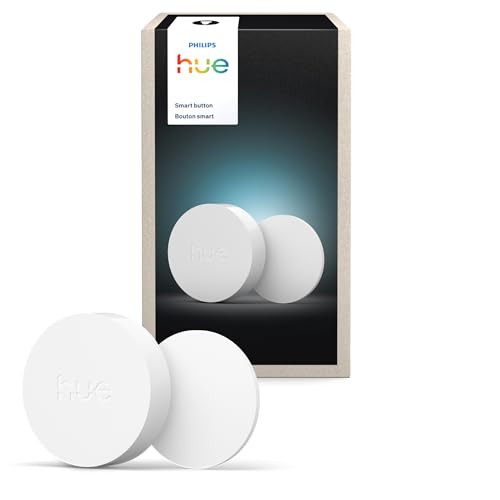
The MOES Wireless Zigbee Smart Scene Button has a magnetic design that can remain mounted or detach for portable use. The Philips Hue button also supports adhesive mounting and placement on magnetic surfaces, while the Oryzic model includes an adhesive pad for quick wall installation.
Mount the control where your hand naturally reaches it, but avoid placing it behind furniture or near moisture. Test the location before committing the adhesive, because relocating a pad can weaken its hold or damage painted surfaces.
7. Local Control and Automation Dependence
Local control can make a button feel faster and keep basic routines working during an internet interruption. Cloud-dependent systems may still be convenient, but they introduce another dependency between pressing the button and completing the action.
The SONOFF Fusion Zigbee Smart Scene Button SNZB-01M supports local Zigbee binding in Home Assistant through ZHA or Zigbee2MQTT. Direct binding can allow a compatible button to control Zigbee devices or groups without waiting for cloud processing.
Ask whether the product supports local scenes, local binding, or offline hub operation. If a button controls essential lighting or an emergency routine, local behavior deserves more weight than a polished mobile application.
8. Special Functions and Safety Uses
A smart button can be more useful when it supports emergency notifications, doorbell behavior, dimming, or automation start and stop functions. These features are valuable only when they work with the required hub and app.
The SONOFF Zigbee Switch SNZB-01P and Aqara Zigbee Wireless Mini Switch can serve as emergency buttons that send alerts or trigger an alarm through their ecosystems. The Tapo Smart Button, Wireless Remote Dimmer Switch can also operate as a doorbell when paired with the Tapo hub.
For an emergency use case, test the complete chain after setup: press the button, confirm the notification, and check whether the recipient notices it. Never treat a consumer automation button as a replacement for a dedicated emergency system.
9. App Setup and Expandability
Setup quality affects whether you use the button regularly or abandon it after a frustrating pairing attempt. Look for clear app instructions, straightforward scene creation, and enough room for additional devices or sensors.
GoveeLife models are designed around GoveeLife equipment and can support many devices in that ecosystem, but they cannot connect directly to Alexa or Google Assistant. The Oryzic switch works with Smart Life or Tuya devices and offers four actions across two keys.
Consider your expansion plans before choosing a brand-specific controller. A compact button may be inexpensive and simple today, yet a hub-based standard can be more flexible if you expect to combine brands later.
| Feature | What to compare | Practical priority |
|---|---|---|
| Protocol | Zigbee, Wi-Fi, or proprietary wireless | Match your hub and network |
| Actions | Press, double press, hold, rotation | Choose enough triggers for routines |
| Battery | AAA or coin cell, claimed runtime | Favor easy replacement or compact size |
| Mounting | Adhesive, magnetic, screw, handheld | Match the intended room |
| Control scope | One brand or multiple ecosystems | Consider future expansion |
For broader home equipment decisions, you can also compare advice in our guide to electric bikes for adults or browse the Uncategorized product guides for additional comparisons.
Why You Should Trust Us
We shortlisted these products by comparing published specifications, stated compatibility, control methods, mounting options, battery formats, and ecosystem requirements. We also considered how each model fits different use cases, from single-light control to multi-device scenes.
Our comparison separates verified product features from assumptions. We do not claim hands-on testing, and we recommend confirming current compatibility, included accessories, and hub requirements before ordering.
Because smart-home software changes, we focus on durable buying criteria instead of temporary app details. The comparison can be refreshed as specifications, availability, and supported platforms change.
Final Thoughts
Our best overall choice is the SONOFF Fusion Zigbee Smart Scene Button SNZB-01M because four buttons and multiple press types create an unusually broad set of scene triggers. Its local Zigbee binding and flexible mounting also make it appealing for advanced smart-home setups.
For value, the GoveeLife Wireless Mini Smart Button Sensor is a sensible pick for households already using compatible GoveeLife equipment. It provides one-touch group control in a small format, although it should not be purchased as a standalone universal controller.
For broad hub compatibility, consider the THIRDREALITY ZigBee Smart Button. Its three press modes, long battery expectation, magnetic mounting, and support for several popular hubs make it a practical choice for mixed smart-home environments.
If lighting is your main priority, the PHILIPS Hue Wireless Smart Light Switch Button offers scene cycling, dimming, time-based lighting, and automation control within the Hue ecosystem. Renters may also appreciate its wireless installation, while our international travel luggage guide covers another category where compact convenience matters.
FAQs
What is the top-rated option among Best Battery-Powered Smart Buttons in 2026?
The SONOFF Fusion Zigbee Smart Scene Button SNZB-01M stands out for its four buttons and sixteen possible press combinations. It is especially suitable for users who want detailed scene control through a compatible Zigbee hub.
Do battery-powered smart buttons need a hub?
Many Zigbee and proprietary models require a hub, but the Oryzic 2-Key Wi-Fi Smart Scene Switch connects directly to 2.4 GHz Wi-Fi. Always verify the exact hub requirement because products from the same category can use very different connection methods.
Can one button control devices from different brands?
That depends on the hub and automation platform rather than the button alone. Home Assistant, SmartThings, and compatible Zigbee systems may combine brands, while GoveeLife buttons are intended primarily for compatible GoveeLife equipment.
Are smart buttons useful for renters?
Yes, wireless installation avoids electrical work and can add control beside a bed, desk, or doorway. Choose adhesive or magnetic mounting when you want to minimize wall changes, and test the surface before permanent placement.
Can a smart button dim lights?
Some models support dimming through a long press or rotation, but the connected lights and ecosystem must support that function. The Philips Hue and Tapo options are particularly relevant when lighting adjustment is a central requirement.
What battery size do wireless smart buttons use?
Common formats include AAA batteries and CR2032 or CR2477 coin cells. AAA models can be easier to replace, while coin-cell designs are usually smaller and better suited to compact wall controls.
Can a smart button work without internet?
Some hub-based systems can continue local automations during an internet outage, but behavior varies by hub, app, and device. Zigbee binding or local scenes generally offer a stronger path to offline operation than cloud-only routines.
How many actions should a smart button have?
Two or three actions cover common needs such as on, off, and a scene trigger. Choose more buttons or press combinations only when you have specific routines that would otherwise require another controller.
Can a smart button trigger an emergency alert?
Several listed models support emergency notifications or hub alarms through their companion ecosystems. Test the complete notification process after installation, and do not rely on a smart button as your only emergency communication method.
How far can a wireless smart button be placed from its hub?
Range depends on protocol, construction materials, interference, and the hub’s position. Start with a nearby placement, then test the intended location before attaching the button permanently.



