

A reliable charger matters when your MacBook Pro is the center of your workday, especially during travel, meetings, and demanding creative sessions. The right USB-C power adapter can restore battery quickly while remaining compact enough for a laptop bag.
We compared 5 options across wattage, compatibility, cable reach, portability, charging technology, and protection features. This guide helps you avoid common mistakes, such as choosing a powerful adapter with an unsuitable cable or buying a short cord for a desk that needs more reach.
Our comparison includes brands such as IFEART, Sunveza, Anker and more and covers several charging approaches for different MacBook Pro sizes. If you are also organizing a broader mobile workspace, our guide to luggage for international travel offers useful packing considerations for chargers and other electronics.


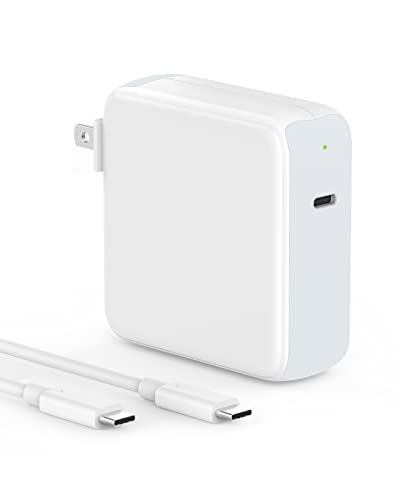


Buying Guide for Best MacBook Pro Chargers
1. Match the Charger to Your MacBook’s Power Requirement
Wattage is the first specification to check because it determines how much power the adapter can deliver under normal charging conditions. A charger with insufficient output may charge slowly, pause during heavy workloads, or struggle to increase battery percentage while demanding applications are running.
Smaller MacBook Air models commonly work well with lower-wattage USB-C adapters, while larger MacBook Pro models benefit from higher output. Compare the wattage printed on your original adapter with the replacement, then choose equal or greater output from a reputable USB Power Delivery charger.
More wattage does not force excessive power into the computer because the MacBook negotiates the amount it needs. However, a very high-output adapter may be larger, heavier, or less efficient for a lightweight laptop, so buy for your actual computer rather than chasing the biggest number.
2. Confirm USB-C Power Delivery Support
USB-C describes the connector shape, not necessarily the charging performance. Power Delivery, usually written as USB PD, is the communication standard that lets the charger and MacBook agree on voltage, current, and safe charging speed.
When comparing specifications, look for USB PD and an output profile suitable for your MacBook. A product that only mentions USB-C without identifying its charging protocol deserves extra caution, particularly when the adapter is intended for a high-performance laptop.
Use the included cable when possible, because the cable and adapter must work together to reach the advertised output. For high-wattage charging, a cable rated for the required power is more important than choosing one based only on appearance or connector fit.
3. Evaluate Charging Speed Without Overpromising
Charging speed depends on the adapter, cable, MacBook model, battery temperature, current battery level, and workload. Advertised times are useful comparisons, but they should be treated as controlled estimates rather than guarantees for every desk or travel situation.
Higher output generally helps larger MacBook Pro models recover power more quickly, especially when the battery is low. Fast charging also becomes less dramatic near full capacity because Apple devices reduce input to manage heat and preserve long-term battery health.
A practical test is to compare how much battery you need during a typical break. If a thirty-minute meeting break must restore enough power for several hours, prioritize a suitable high-wattage adapter and avoid using the computer heavily while charging.
4. Inspect the Included Cable
The cable is part of the charging system, not an accessory that can be ignored. Its power rating, construction, length, connector quality, and bend resistance can affect charging stability and convenience as much as the wall adapter itself.
For high-output adapters, check whether the cable supports the adapter’s maximum wattage and includes an electronic marker when required. A cable rated below the adapter can limit charging, while a longer cable may introduce more resistance if its construction is poor.
Braided nylon can resist everyday abrasion, while soft-touch materials may feel more flexible around a desk. A two-meter cable suits distant outlets and standing desks, whereas a shorter cable reduces clutter in compact travel setups.
5. Choose a Length That Fits Your Workspace
Cable length changes how comfortably you can use the MacBook while it charges. A short lead may work beside a wall outlet but become frustrating when the outlet sits behind furniture, beneath a conference table, or several feet from a sofa.
Measure the distance from your preferred outlet to the location where the computer normally rests, then add enough slack for routing. Avoid pulling the cable tight because tension can stress the connector, loosen the plug, or make accidental disconnection more likely.
Long cables are particularly useful for travel rooms with inconvenient outlets, but they take more space in a pouch. If portability matters more than reach, choose a compact adapter and carry a separate cable matched to your usual workspace.
6. Consider Portability and Plug Design
A charger can have excellent output yet remain inconvenient if it occupies too much room in your bag. Compact dimensions, a foldable plug, and a sensible shape make repeated commuting easier and reduce pressure on other items in a crowded laptop compartment.
Foldable plugs are valuable for travel because the prongs stay protected when packed. They also reduce the chance of scratching nearby equipment, although you should still place the adapter where its weight cannot press against the MacBook screen.
For frequent flyers, compare the adapter’s dimensions and weight rather than relying on the word compact. A slightly larger unit may provide better cooling, while an ultra-small unit may be preferable when every ounce matters.
7. Review Safety and Thermal Protection
Charging protection helps guard the adapter and computer against excessive current, voltage irregularities, overheating, short circuits, and related electrical problems. These safeguards are especially important when the charger will be used for long work sessions or in warm rooms.
Look for clearly described temperature monitoring, over-current protection, over-voltage protection, overload control, and short-circuit protection. Specific safety language is more useful than vague claims that an adapter is simply safe or intelligent.
Keep the adapter uncovered during use and avoid placing it under clothing, bedding, or papers. Protection circuitry cannot replace ventilation, and unusual heat, odor, buzzing, or intermittent charging is a reason to disconnect the unit.
8. Compare Multi-Device Flexibility
Many people want one adapter for a MacBook, phone, tablet, headphones, or another USB-C device. A single-port charger may deliver its full output directly to the laptop, while a multi-port design can be more convenient but may divide power between connected devices.
Check the output for each port and read how total power is allocated when several devices are connected. Do not assume that every port delivers the headline wattage, because the main port may receive priority while secondary ports use a smaller share.
If your routine usually involves charging only the MacBook, a single high-output port keeps the decision simple. If you regularly charge several devices overnight, multi-device flexibility may outweigh the possibility of slower laptop charging.
9. Check Compatibility Across MacBook Generations
MacBook Pro models vary by screen size, processor generation, and recommended power adapter. Compatibility claims should cover the exact model family you own, not merely state that the charger works with laptops or USB-C devices.
Before ordering, identify your MacBook model from the Apple menu under About This Mac and compare it with the product’s compatibility information. Also verify that your computer charges through USB-C, since connector availability and charging behavior differ among older machines.
Broad compatibility can be useful when a household owns several MacBooks, but it should not replace checking output requirements. A charger suitable for a smaller notebook may not be the most practical choice for a large Pro model under sustained load.
10. Weigh Build Quality, Warranty, and Value
Build quality influences whether a charger remains dependable after being packed, unpacked, and plugged in repeatedly. Inspect the strain relief around the cable, the fit of the folding mechanism, and whether the product description identifies meaningful service support.
A longer warranty and responsive customer service can reduce the risk of replacing an adapter prematurely. These details matter more when the charger will be your only power source for work, travel, or school.
For a quick comparison, use the following checklist before deciding:
| Specification | What to compare | Practical priority |
|---|---|---|
| Output | Wattage and PD profile | Match or exceed your MacBook requirement |
| Cable | Power rating, length, construction | Support the adapter’s maximum output |
| Portability | Size, weight, folding plug | Match your travel frequency |
| Protection | Temperature, current, voltage, short circuit | Prefer clearly listed safeguards |
| Service | Warranty and support availability | Important for daily-use chargers |
Value is not simply the lowest purchase cost or the highest wattage printed on a box. A charger earns its place when its output, cable, portability, safety features, and support align with how you actually use your MacBook.
For more practical buying advice across everyday equipment, you can also browse the Uncategorized product guides. The same principle applies throughout: compare specifications that affect your routine instead of buying based on headline claims alone.
Why You Should Trust Us
We built this comparison from the supplied product specifications, stated compatibility details, listed charging standards, cable descriptions, protection features, and current product positioning. We focused on information that can be checked in a product listing rather than making claims about hands-on performance.
Our shortlist considers different user priorities, including high-output charging for larger MacBook Pro models, compact travel designs, long cables, and flexible compatibility. We also compare features across the available product range so one specification does not unfairly determine every recommendation.
Because availability, specifications, and product information can change, this comparison uses dynamic site data where applicable and should be checked against the current listing before purchase. We do not claim laboratory measurements or physical testing that the supplied data does not support.
Final Thoughts
Our best overall choice is Charger for MacBook Pro 16 14 inch MacBook Air 15 because its 100W output, long braided cable, broad MacBook compatibility, and compact design create a balanced everyday package. It suits users who want strong charging performance without carrying a bulky original adapter.
For value-focused buyers, Charger for MacBook Air MacBook Pro 13 14 15 16 is a sensible option. Its 70W output, USB-IF certified cable, foldable plug, LED indicator, and protection features fit smaller MacBook Pro and MacBook Air routines particularly well.
For travel and distant outlets, consider 10ft Charger for MacBook Pro/Air 16, 15, 14. Its extended cable provides unusual freedom around hotel rooms, living rooms, and desks, while its 96W output is suited to larger laptops that need stronger charging.
Users who want a compact foldable design from an established charging brand may prefer Anker Laptop Charger, Compact Foldable 100W USB C. Its ActiveShield temperature monitoring, PowerIQ compatibility, included cable, and portable format make it a strong companion for mixed-device travel.
Finally, Mac Book Pro Charger – 118W USB C Charger stands out for shoppers who want extra output headroom and wide USB-C device compatibility. To plan a complete travel setup, pair this comparison with our guide to smart luggage for international travel.
FAQs About Best MacBook Pro Chargers
What wattage charger should a MacBook Pro use?
The correct wattage depends on your MacBook Pro model and screen size, so compare the replacement with the original adapter. Equal or greater output is generally preferable when the charger supports USB Power Delivery and the cable is properly rated.
Can a higher-wattage USB-C charger damage a MacBook Pro?
A compatible USB PD charger does not automatically push its maximum wattage into the computer. The MacBook and adapter negotiate an appropriate charging level, but reputable construction and clearly stated protection features remain important.
Does every USB-C cable charge a MacBook Pro?
Many USB-C cables can charge a MacBook, but they may not support the output required for fast charging. Check the cable’s wattage rating and use a cable designed for the adapter’s maximum power.
Is a longer charging cable better for a MacBook?
A longer cable is better when the outlet is far from your normal working position or hidden behind furniture. It is less convenient for compact bags, so choose length according to your primary workspace rather than assuming longer is always superior.
Can I use one MacBook charger for an iPad and phone?
Most USB-C MacBook chargers can power compatible iPads and phones when the connector and charging protocol match. Review the port output and remember that charging several devices simultaneously may divide the available power.
What makes a MacBook charger suitable for travel?
A travel-friendly charger usually combines a compact body, foldable plug, durable cable, and broad voltage input. A long cable can also help in hotel rooms, although it adds some bulk to your packing pouch.
Why does my MacBook charge slowly with a replacement adapter?
Slow charging can result from low adapter wattage, an under-rated cable, heavy computer use, heat, or an unsuitable charging profile. Check each part of the system instead of assuming the wall adapter alone is responsible.
Are foldable plugs durable enough for daily use?
Foldable plugs can be durable when the hinge and housing are well constructed, but repeated force or packing pressure can eventually cause wear. Open and close the mechanism gently, and avoid using the adapter if the plug becomes loose.
What safety features should a replacement charger include?
Look for over-current, over-voltage, overload, short-circuit, and temperature protection. Clear descriptions of these safeguards are more useful than general statements about advanced or intelligent charging.
How should I choose among Best MacBook Pro Chargers in 2026?
Start with your MacBook’s required wattage, then compare USB PD support, cable rating, length, portability, safety features, and warranty. The best match is the option that fits your daily charging habits rather than the adapter with the largest headline number.



