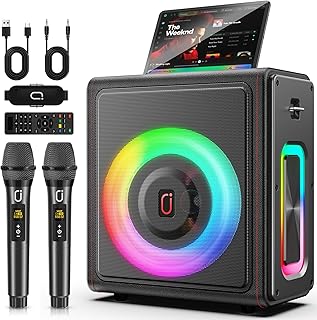
Desktop speakers suit gamers, music listeners, and movie fans who want fuller sound without wearing headphones all day. A 2.1 system combines left and right speakers with a dedicated subwoofer, creating more convincing bass and a wider presentation than most built-in monitors.
We compared 3 models from SteelSeries, Klipsch, Edifier during September 2026, focusing on connection options, driver design, bass control, software, and practical desk placement. This guide helps you avoid choosing a system for lighting alone when sound quality, room size, and cable management matter more. For another practical buying guide, visit our Home & Living category.


Best 2.1 PC Speakers Buying Guide
1. Sound Quality and Driver Design
Sound quality should lead your decision because a powerful specification cannot compensate for harsh treble, muddy voices, or weak stereo separation. Look for separate tweeters and mid-bass drivers, since dedicated drivers can handle different frequencies more cleanly.
The SteelSeries Arena 7 RGB Illuminated 2.1 uses silk dome tweeters and organic-fiber woofers for more controlled detail across midrange and high frequencies. The Edifier S355DB 2.1 Powered Bookshelf Speakers pair aluminum cone mid-bass drivers with titanium dome tweeters, while its DSP supports high-resolution playback.
For spoken content, listen for intelligible voices at moderate volume rather than judging only maximum loudness. If you mainly play competitive games, prioritize positional clarity, while music and films may justify a smoother full-range presentation.
2. Subwoofer Performance and Bass Control
A subwoofer supplies the low-frequency impact that makes explosions, electronic music, and cinematic effects feel larger. Its driver size matters, but enclosure design, amplifier tuning, placement, and adjustable gain determine whether bass sounds tight or boomy.
The Edifier system includes an eight-inch wireless subwoofer, while the SteelSeries system uses a downward-firing 6.5-inch subwoofer. Klipsch ProMedia Lumina 2.1 Computer Gaming System adds an adjustable gain control, allowing you to reduce bass when the desk sits near a wall.
Place the subwoofer on the floor when possible, leaving space around its enclosure and avoiding a corner if bass becomes overwhelming. A useful starting point is setting the subwoofer near half volume, then increasing it until low notes support the speakers without masking voices.
3. Inputs and Device Compatibility
Input selection determines whether a speaker system works equally well with a computer, console, television, phone, or tablet. USB can simplify computer connections, optical suits compatible televisions, and analog auxiliary input remains useful for older devices.
Klipsch ProMedia Lumina 2.1 Computer Gaming System supports USB-C, AUX, and Bluetooth 5.3, giving it broad desktop flexibility. SteelSeries Arena 7 RGB Illuminated 2.1 includes USB, auxiliary, optical, wired headset support, and Bluetooth for mobile listening.
Before buying, list every device you expect to connect and identify which outputs each one provides. If you switch between two sources often, choose a system with accessible controls or multiple active inputs instead of relying on adapters.
4. Wireless Audio and Connection Stability
Bluetooth is convenient for phones and tablets, but wireless audio can introduce compression, delay, or occasional interference. For gaming, a wired USB or optical connection is generally preferable when the system and computer support it.
Edifier S355DB 2.1 Powered Bookshelf Speakers use Bluetooth 6.0 with multipoint pairing, allowing two devices to remain paired for easier switching. Its wireless subwoofer reduces cable clutter, although you still need to position the main speakers and power components carefully.
Use Bluetooth for music, casual video, and phones, then select a direct connection for rhythm games or competitive play. Keep wireless components away from crowded hubs and routers when dropouts appear, and check whether multipoint switching fits your routine.
5. Power, Volume, and Room Size
Amplifier output affects headroom, which is the extra capacity available before distortion becomes noticeable. More power does not automatically create better sound, but it can help a system stay clean when filling a larger room or playing dynamic movie soundtracks.
Edifier lists 150 watts for its S355DB system, making it the most suitable choice here for room-filling playback. A smaller desk in a bedroom may not need that reserve, while a shared living space benefits from additional headroom and a larger subwoofer.
Match the system to listening distance rather than chasing the largest wattage number. For near-field desk listening, place the tweeters near ear height and form a roughly equal triangle between your head and the two speakers.
6. Placement, Size, and Desk Space
Two satellite speakers and a subwoofer require more planning than a soundbar, especially on a narrow desk. Measure available width, monitor stand depth, floor clearance, and cable paths before choosing a system.
Klipsch ProMedia Lumina 2.1 Computer Gaming System uses a low-profile subwoofer and cable management design intended to reduce floor-space demands. Its tiltable stands can also help direct the satellites toward your listening position.
Keep the left and right speakers separated enough to create a stable center image, but not so far apart that vocals seem disconnected. If the subwoofer must sit beside the desk, test several locations because room boundaries can dramatically change bass balance.
7. Controls, Equalization, and Software
Accessible controls make daily use easier when you need to adjust volume, bass, lighting, or listening modes quickly. Software adds deeper control, but it should supplement good default tuning rather than become necessary for basic operation.
Edifier provides knobs, a remote, and the EDIFIER ConneX app with four sound effects and customizable equalizer settings. SteelSeries Sonar adds a 10-band parametric equalizer, spatial audio simulation, and acoustic echo cancellation for users who enjoy detailed tuning.
Start with the default profile before making adjustments, then change one frequency range at a time. Save separate profiles for games, music, and films, because excessive bass or simulated surround processing can reduce clarity.
8. Lighting and Workspace Features
RGB lighting can make a gaming desk more cohesive, but it should remain secondary to acoustic performance. Consider whether illumination is visible from your seat and whether the software lets you dim, disable, or synchronize it.
SteelSeries Arena 7 RGB Illuminated 2.1 includes four-zone reactive PrismSync lighting that responds to games and music. Klipsch ProMedia Lumina 2.1 Computer Gaming System also offers color-changing options, music-reactive effects, and night mode through its control app.
Choose reactive lighting when your desk is part of a gaming setup, but select simple controls if you work beside the speakers. A night mode is particularly useful in shared rooms because it reduces visual distraction during evening listening.
9. Controls, Headphone Use, and Everyday Convenience
Desktop speakers often serve as the central audio device for work, games, calls, and entertainment, so convenience affects satisfaction over time. Front-facing controls, remote access, and a nearby headphone connection can prevent repeated trips behind the desk.
Klipsch focuses on updated controls and easy setup, while SteelSeries provides wired headset support alongside its broad input selection. Edifier offers several control methods, including the main-speaker knobs, remote, and mobile app.
If you frequently move between private and shared listening, prioritize a front-accessible headphone connection. Also check whether volume changes affect only the speakers or connected headphones, since that behavior varies between systems.
| Comparison point | Edifier S355DB | Klipsch ProMedia Lumina | SteelSeries Arena 7 |
|---|---|---|---|
| Subwoofer approach | Wireless 8-inch subwoofer | Low-profile wired subwoofer | Downward-firing 6.5-inch subwoofer |
| Wireless audio | Bluetooth 6.0 multipoint | Bluetooth 5.3 | Bluetooth |
| Notable control feature | App, remote, and speaker knobs | Desktop app and adjustable gain | Sonar software and headset support |
| Best fit | Detailed, room-filling playback | Compact gaming desks | RGB-focused gaming setups |
Connection choices, subwoofer design, and control options often matter more than a headline power figure. For broader home equipment advice, our Furniture & Comfort category offers additional practical buying guidance.
Why You Should Trust Us
We built this comparison from the supplied product specifications, verified feature descriptions, listed connection types, driver information, control systems, and intended use cases. We separated measurable features from subjective marketing language, then considered how each system fits real desktop setups.
Our shortlist covers different priorities rather than treating one design as suitable for everyone. We considered room-filling output, compact placement, wireless flexibility, gaming software, lighting, bass adjustment, and compatibility across computers and entertainment devices.
Because prices, availability, specifications, and product records can change, readers should confirm current retailer information before purchasing. We do not claim physical testing, and our recommendations reflect the documented features and trade-offs supplied for this comparison.
Final Thoughts
Our best overall recommendation is Edifier S355DB 2.1 Powered Bookshelf Speakers. Its 150-watt system, wireless eight-inch subwoofer, high-resolution support, multipoint Bluetooth, and app-based equalization make it the strongest all-purpose option for music, films, gaming, and larger listening spaces.
For a value-focused gaming desk, choose Klipsch ProMedia Lumina 2.1 Computer Gaming System. Its low-profile subwoofer, adjustable gain, tiltable stands, USB-C input, Bluetooth, and lighting controls create a flexible setup without demanding excessive floor space.
The best specific-use pick for a synchronized gaming workspace is SteelSeries Arena 7 RGB Illuminated 2.1. Reactive four-zone lighting, Sonar equalization, spatial audio simulation, headset support, and multiple inputs suit players who want software customization as much as strong bass.
Whichever direction you choose, measure the desk first, identify every source device, and decide whether lighting or wireless convenience genuinely matters. Readers comparing broader household purchases can also explore our Uncategorized product guides for additional buying ideas.
FAQs About Best 2.1 PC Speakers
Are 2.1 speakers better than a soundbar for a computer?
A 2.1 system usually creates stronger left-right separation because its speakers sit on both sides of the monitor. A soundbar may save space, but separate satellites and a subwoofer can deliver more convincing stereo width and low-frequency impact.
Can 2.1 PC speakers work with a television?
They can work with a television when the available outputs match the speaker inputs, such as optical, analog, USB, or Bluetooth. Check the television output settings because some models require enabling external speakers or changing digital audio format.
Do computer speakers need a separate amplifier?
Powered 2.1 systems include amplification inside the speaker or subwoofer enclosure, so they connect directly to a source. A separate amplifier is unnecessary unless you are building a passive speaker system from individual components.
Is Bluetooth good enough for gaming speakers?
Bluetooth works well for music and casual video, but wireless latency can be distracting in rhythm games or competitive play. Use USB, optical, or another direct connection when timing and synchronization are especially important.
Where should a 2.1 subwoofer sit?
Place the subwoofer on the floor with some breathing room around its enclosure, then test several positions. Corners often increase bass output, but they can also make low frequencies sound boomy and less controlled.
Are RGB speakers useful beyond appearance?
RGB lighting does not improve acoustic performance, but reactive effects can enhance a gaming environment and provide visual feedback. Look for dimming, night mode, and reliable software if the speakers will also be used for work.
What is the top-rated option among Best 2.1 PC Speakers in 2026?
Based on the documented feature set, Edifier S355DB 2.1 Powered Bookshelf Speakers stand out for high-resolution playback, powerful output, wireless subwoofer design, and flexible controls. They are especially appealing when room-filling sound matters more than the smallest footprint.
How far apart should desktop speakers be?
Start with the left and right speakers approximately as far apart as each one is from your listening position. Angle them toward your ears and adjust gradually until vocals appear centered rather than coming mainly from one side.
Can a subwoofer be placed on a desk?
A subwoofer can sit on a sturdy desk, but floor placement usually reduces vibration transfer and preserves valuable workspace. If desk placement is unavoidable, use isolation material and confirm that the surface does not rattle at higher volume.
Do speaker watts determine sound quality?
Watts describe amplifier output capability, not overall sound quality. Driver construction, cabinet design, tuning, distortion, placement, and room acoustics all influence what you hear, so compare the complete system rather than one power number.